
Help
The Transfer Process
Transferring your Pro Lifetime License for eqMac is a straightforward process. However, transferring a License can only be done once a month, so make sure you are making an intentional transfer to your new Mac.
Follow these steps:
Sign-in into your account on the website: https://eqmac.app/account
Find the Lifetime License you want to transfer and click on the Edit (pencil) button:
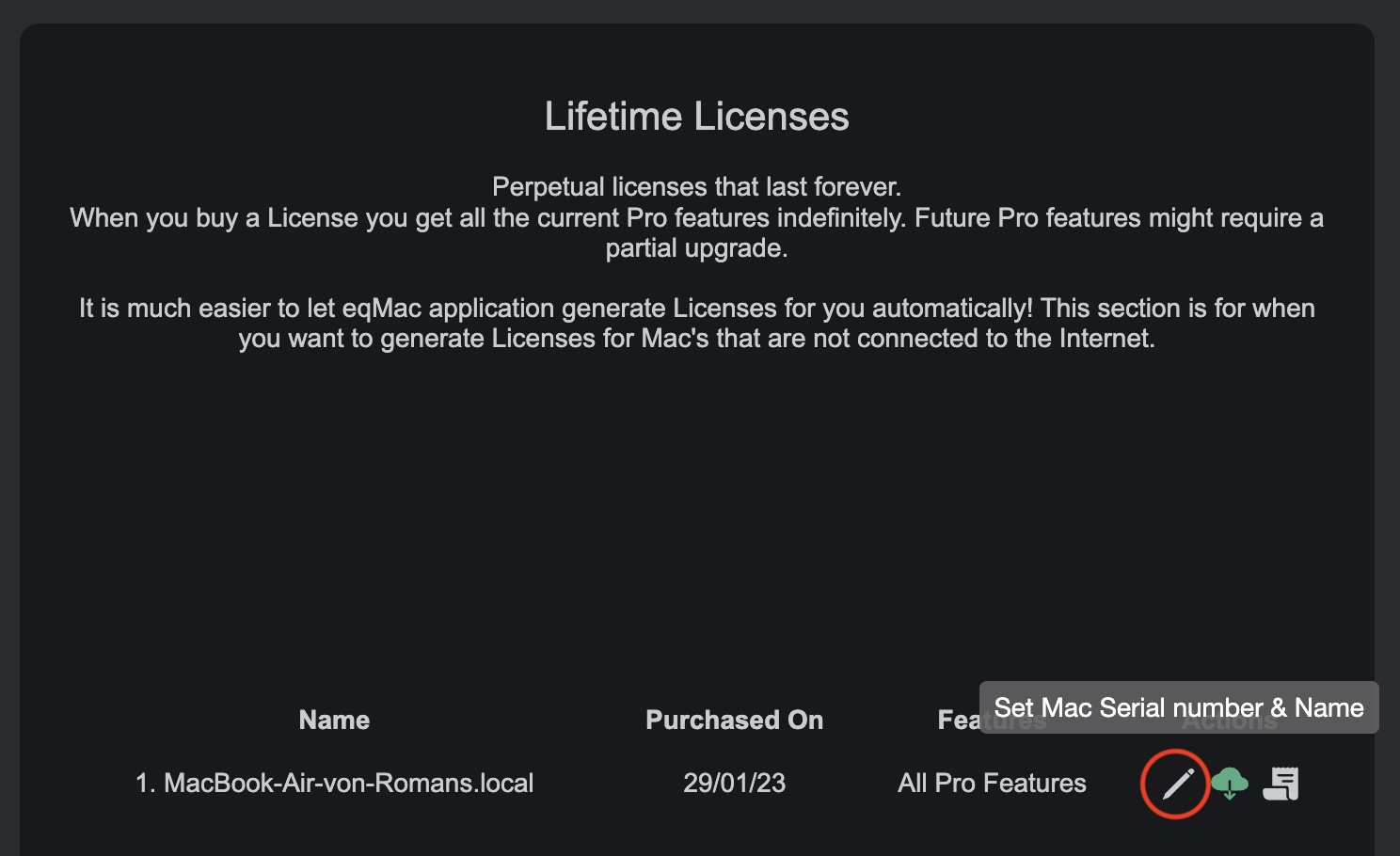
- Enter your new Serial Number in the bottom field (make sure you don't make a mistake) and click Save.
That's it, the website will send you a new License file via a download that you can double-click on your new Mac and eqMac should pick up the new License. Alternatively, if you are Authenticated your account with eqMac on your new Mac, you can just restart eqMac and it should pick up your new Pro License!